
Fleet health
Endpoint monitoring and fleet health for every client in one place, instead of one console per customer.
OVERWATCH · RMM
Overwatch is the remote monitoring and management side of Command. Watch fleet health across every client, manage patching and patch compliance, run jobs and automations, and take remote control, all under policies you scope from global down to a single device group.
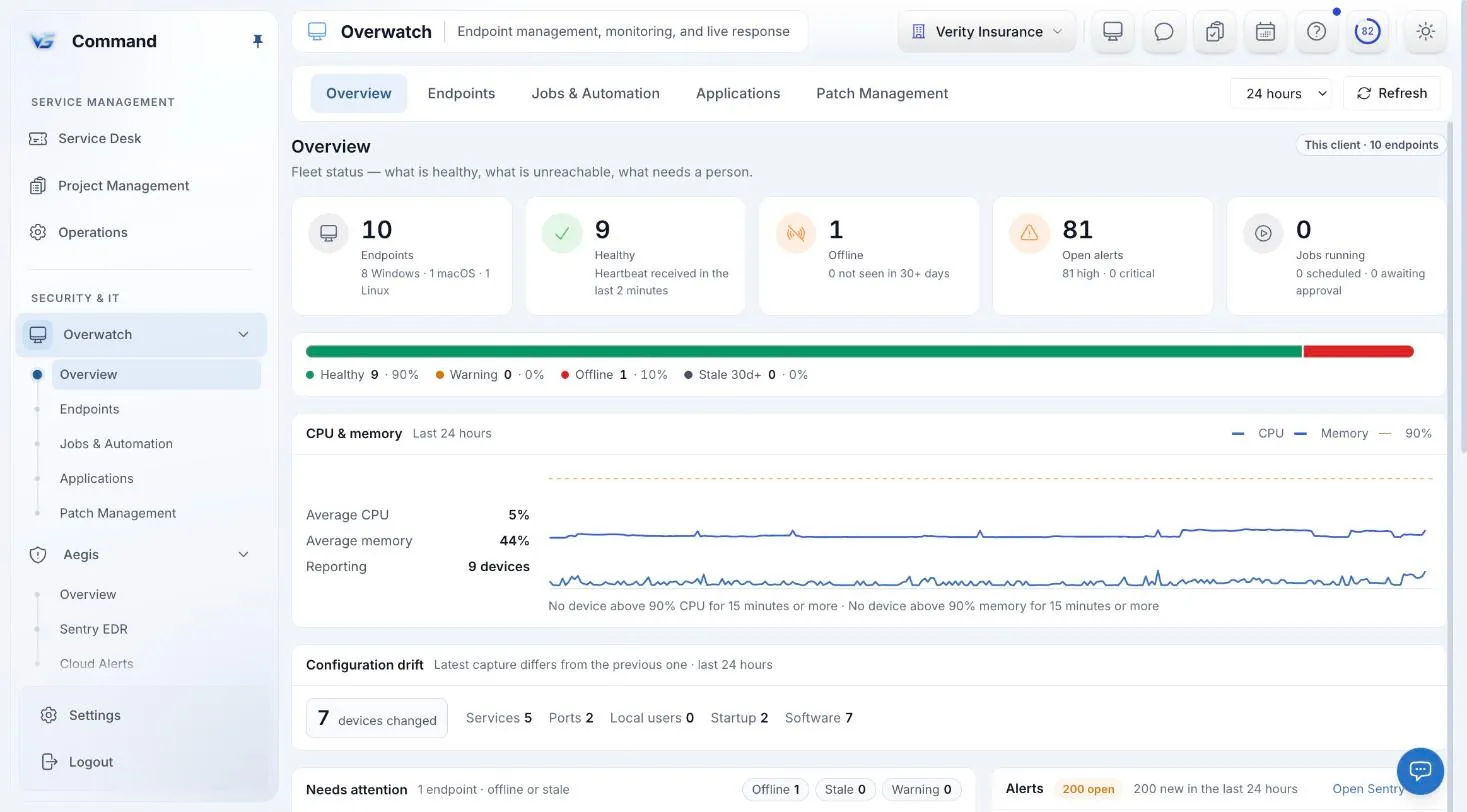
Command screenshot with sample data. Names are fictional.
MONITORING
See the health of every managed endpoint across every client in Overwatch, then narrow to the client or endpoint you need.
Endpoint monitoring and fleet health for every client in one place, instead of one console per customer.
A monitoring policy sets the threshold, the severity, and what Command does when a check is breached, so you configure it once instead of machine by machine.
PATCHING
Patching is driven by policy and checked for compliance, so a missing update is visible instead of assumed.
Patching policies decide how endpoints are patched, from a global default down to a client, a site, or a device group.
Patch Management includes a compliance view, so you can see which endpoints are behind.
AUTOMATION
Run the same fix on one endpoint or many, keep a record of what ran, and manage applications from the same console.
Run scripts as jobs. Each script run records who ran it, which script, and on which endpoint.
Build automations under Jobs & Automation. A workflow run keeps the inputs it ran with.
Applications has its own section in Overwatch, next to endpoints, jobs, and patching.
LIVE RESPONSE
Reach any managed endpoint when a ticket needs hands on the machine, and keep a record of who was there.
Start a remote session from Command. Each session records the user who viewed and the user who took control.
Live response includes a terminal, so a fix that only needs a command line does not need a full remote session.
POLICIES
One policy engine covers monitoring, patching, Windows hardening, built-in Microsoft Defender Antivirus, and Sentry EDR, with every policy for every client in one inventory.
Write a policy globally or for one client, then narrow it by device group and operating system.
Every policy across every client is listed in one place, so you can see what applies where.
Policies start as drafts and keep a change history.
ONE CONSOLE
Endpoint protection and DNS filtering inside Aegis, on the same policy engine.
Ticketing, todos, a shared calendar, and a knowledge base, with SOC and service work on one board.
Every incident in one place, and playbooks whose riskier steps pause for a person.
Knowledge base, assets, and contacts, with credentials in a separately permissioned vault.
Service delivery, endpoints, security, Microsoft 365, and documentation in one console.
INCLUDED IN THE ONE PRICE
One price covers every Command module, including Sentry EDR and Web Protection. Unlimited technicians, month-to-month, and a free 30-day pilot on up to 50 endpoints.
FAQ
Windows is fully supported. macOS and Linux agents are available with fewer capabilities.
Included. Patch management, monitoring, automation, and remote control are all part of the one Command price of $6 per endpoint per month.
Yes. Remote sessions record the user who viewed and the user who took control, and script runs record who ran them, which script, and on which endpoint.
Yes. Write a policy globally or per client, then scope it by device group and operating system. Policies inherit from global down to client, site, and device group.
Book a demo for a guided tour, or apply for the beta to run Command free for 30 days with guided onboarding.